Wednesday, August 19, 2020

10 Design Elements All Big Blogs Have In Common 2021

10 Design Elements All Big Blogs Have In Common 2021


Anytime you create something new, whether it’s a product, a service, or a website, start by taking a look at what others have created before you.

To help you set the foundation for your blog design, I’ve listed 10 design elements that almost all big blogs have in common and how you can implement them on your WordPress blog.

The 10 Big Blogs

To give you some hard data, I chose to use Mashable, TechCrunch, The Next Web, GigaOM, Seth’s Blog, Copyblogger, Problogger, KISSmetrics Blog, Freelance Switch, and The Oatmeal as examples for this post.

Header

The headers on nine out of ten of these sites were 100 pixels high or less. Most of them included the logo and a search bar.

Logo (10/10)

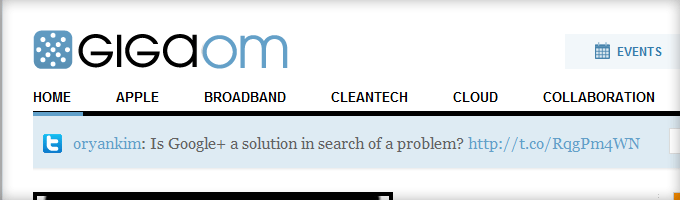
All ten of these blogs had their logo in the upper-left corner and hyperlinked it to the home page.
Gigaom Logo Header

The GigaOM.com logo is in the upper left and it links to the homepage.

How to implement the hyperlinked logo: Most WordPress themes (i.e. WooThemes, Thesis, Genesis, etc.) let you upload a logo through the theme’s design settings and it automatically links home.

Search Box (6/10)

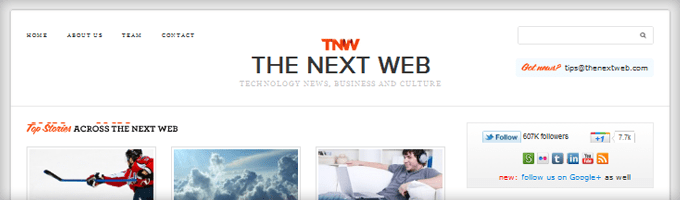
Six of the ten big blogs had a search box on the right side of the header. Seth’s Blog and Copyblogger put their search bar towards the top of the sidebar. The KISSmetrics blog and The Oatmeal don’t have a search mechanism.
TheNextWeb Search Box

TheNextWeb.com’s search box is on the right side of the header.

How to implement the search box: You can place your search bar as a widget in the Appearance > Widgets area of your theme. If you don’t have a widgetized header, this is the php for the search box:

<?php get_search_form(); ?>

Place it within your header.php or your theme’s custom php file. If you’re not familiar with php, put it near the top of your sidebar within the widgets area.

Content Area

Eight out of the ten big blogs feature the content area on the left and the sidebar on the right. Here are a few more common design elements within the content area.

Social Buttons (Slider) (10/10)

All of the big blogs include social sharing buttons with Facebook’s Like/Share and Twitter’s Tweet being the most popular. Google’s +1 and LinkedIn’s Share buttons are also popular. Digg, StumbleUpon, and Reddit buttons aren’t listed as often as they used to be.

Both Mashable and TechCrunch have social sliders on the left side of the content that slide down as you scroll down the page. IncomeDiary has this too.

Techcrunch Social Sharing Buttons

TechCrunch.com’s sharing icons are in the left margin and they scroll down the page.

How to implement the social buttons: If you prefer not to hardcode the buttons into your theme, I recommend the LikeEasy Twitter Button and WordPress Google +1 Button plugins. Use the Sharebar plugin to put a scrolling social slider on the left side of your content.

Related Posts (7/10)

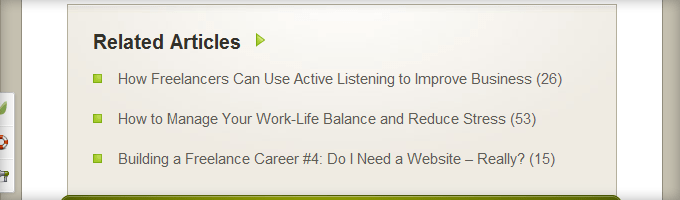
Seven out of the ten of those blogs feature a related posts area at the bottom of every post. This encourages people to read more of your articles, spend more time on your site, and become more engaged with your blog or business.
FreelanceSwitch Related Posts

FreelanceSwitch.com features three related posts at the bottom of every post.

How to implement the related posts: I whole-heartedly endorse Rob Marsh’s Similar Posts plugin. You’ll also need the Post-Plugin Library plugin to get his series of plugins to work on your site.

Post Footer Call To Action (5/10)

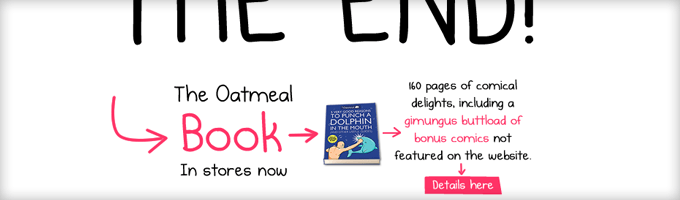
Half of the big blogs have a very specific call to action at the bottom of the post. Usually the call to action is to subscribe or purchase.

The other five blogs just encourage you to share, comment, or click on an ad. One way or another, they all have a call to action.
TheOatmeal Call to Action

TheOatmeal.com’s call to action is usually to buy The Oatmeal book.

How to implement the post footer call to action: Since every theme works differently, it’s hard to give specific instructions here. All you have to do is hook a slab of HTML into your theme at the bottom of your content area and above the comments area.

Sidebar

The sidebar is usually about half the width of the content area, and as I mentioned previously, most sidebars are on the right.

Sidebar Opt-In (8/10)

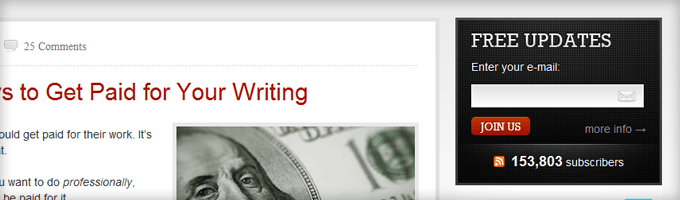
Eight out of the ten of these sites have an opt-in within their sidebars and five of them are at the top. The words Free Updates and Subscribe are the most prevalent headlines and calls to action.
Copyblogger Subscribe Opt-In

Copyblogger.com’s opt-in is at the top of the sidebar with the headline, FREE UPDATES, and the call to action, JOIN US.

How to implement the sidebar opt-in: Every major email marketing provider has some sort of a form builder that spits out HTML. Embed the HTML in a text widget and put it at the top of your sidebar. You might have to play around with the CSS to get it looking the way you want.

Popular Posts (7/10)

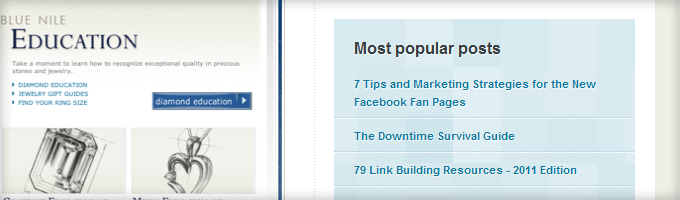
Featuring your popular posts is a great way to introduce a new visitor to the best content on your blog. Seven out of the ten promote their most popular posts in their sidebar.
Kissmetrics Popular Posts

The KISSmetrics Blog features their popular posts in their sidebar.

How to implement popular posts: Use Rob Marsh’s Popular Post plugin to showcase your most viewed posts. Install the plugin and you’ll find a “Popular Posts +” widget that you can simply drag and drop into your sidebar.

Social Media  Links (9/10)

Nine out of the ten blogs feature links to their social media profiles with Twitter and Facebook being the most popular. Other notables are YouTube, LinkedIn, StumbleUpon, Flickr, and Tumblr.
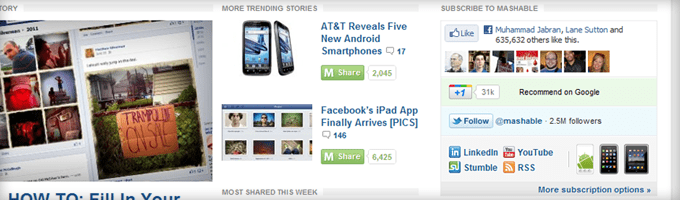
Mashable Social Icons Sidebar

Mashable.com’s sidebar features the Like Box, +1, Follow, LinkedIn, YouTube, Stumble, and RSS.

How to implement the social media links: You can create a Facebook Like Box here. Or you can get free social media icons to make your own buttons here.

Products/Ads (9/10)

Nine out of the ten promote either their products or advertisements on the sidebar, and five of them feature both. The only reason TheOatmeal.com doesn’t is because he features the products primarily as the call to action.
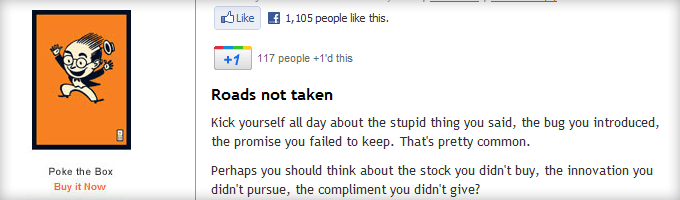
Seth Godin Books Sidebar

Seth Godin lists all of his books on his sidebar with the latest at the top.

How to add products and ads: Featuring your products on the sidebar is as simple as writing up the HTML and placing it in an arbitrary text widget. To feature rotating ads on your sidebar, I recommend the OIOpublisher plugin.

Footer

Traditionally, the footer was used as a place to list links to every nook and cranny of your website. But most sites are now opting for a more minimalist design with their footers.

Categories or Other Links (5/10)

Out of the five big blogs that have a more robust footer, they all list either category links or other links as an extra navigation menu area.
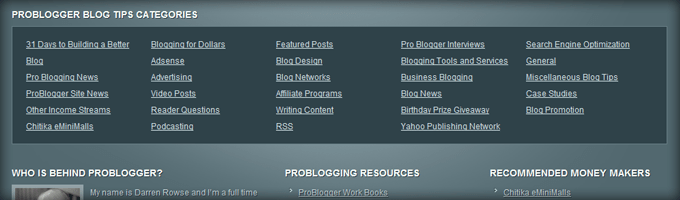
Problogger Footer Categories

Problogger.net lists all of their categories in their footer to help visitors navigate the content.

How to implement footer links: A lot of WordPress themes have widgetized footers. If yours does, use the Text widget to place HTML within your footer. Similar to the post footer call to action, it’s hard to give detailed instructions here because every theme is different.

More Questions?

If you’d like more advanced tips around how to implement these design elements into your blog or specific themes, leave a comment below and I’ll point you in the right direction.

25 Ways You Can Increase Trust On Your Website 2021

25 Ways You Can Increase Trust On Your Website 2021


Q : What’s the most scarce and valuable resource online?

A: Trust.

Trust is scarce because anyone can publish content online. There are no publishing companies or editors to separate the good writing from the bad or to make sure all of the sources are double-checked and cited.

Trust is valuable because if once it’s established, you open up the door to a world of opportunity: more readers, higher opt-in rates, and increased product sales. Thankfully, there are methods to make your website more trustworthy and I’ve listed my top 25 below.

25 Ways You Can Gain More Trust Online

#1 Eliminate Broken Links with Free Software

cost-of-living-various-countries

Nothing is permanent – especially on the Internet.

Eventually a link on your website will lead to a place that no longer exists. If a user clicks on that link and is greeted with a 404 page they’re going to be (A) upset that you’ve wasted 5 seconds of their precious time and (B) less trusting of your links in the future.

Avoid this scenario by installing free software that automatically scours your site for broken links and notifies you about them. If you use WordPress I recommend you use Broken Link Checker, which has 4.1 out of 5 ranking.

Oh and if you needed more incentive, broken links are bad for SEO too.

#2 Go Blue

According to color psychology, blue “creates the sensation of trust and security.” So you may want to consider using a blue color scheme for your website, like Facebook does.

#3 Show Yourself

You can establish a lot of trust simply by featuring your name and photo prominently with every article. It can also be good to get a little personal on your about page, as Neil Patel does with a funny cartoon.

Dropbox is a big business. But they still keep a personal touch on their about page: the images and names of all of their employees. Seeing the real people behind a website makes it easier to trust.

#4 Proofread

Always read over your entire post one last time before clicking ‘publish’. I find it’s especially helpful to read the text out loud.

#5 Nix Autoplaying Audio/Video

Hate is a strong word, but I really, really, really don’t like media that plays automatically when you open a web page. It’s disrespectful to me as a user and it’s the fastest way to break my trust.

Autoplay is fine when the site makes it clear that I’m visiting a page specifically so I can play a song or video (like on YouTube). Otherwise, just don’t do it.

#6 Get a Professional Logo

A great logo design doesn’t come cheap, but it’s the single biggest investment you can make in the trustworthiness of your online brand. Your logo will go everywhere you go – from your header to your business card. Hold your logo to a high standard of professionalism and people will view your business in higher esteem.

#7 Allow Comments

Let’s face it: humans don’t exactly have a reputation for being respectful online. So putting a comment box underneath your content is a brave thing to do. You’ve carefully built a website and now you’re just going to open it up for anyone to scribble on?

There’s good reason to allow comments, though. By allowing a public forum for opinions both positive and negative, your website shows confidence in what it’s presenting to the world. It shows that you don’t have anything to hide and that you’re willing to accept fair criticism. To me, that equates to a little bit more trust.

Admittedly, some comments are spam and need to be deleted and not every website necessarily should allow comments. Seth Godin has one of the world’s most popular blogs and it doesn’t have comments (thought that’s mostly for personal reasons).

#8 Get Press and Feature It

Income-Diary-Press

A website’s header gets to make the first impression on its viewer. Press is so important for a website’s trust that Income Diary puts some of our press mentions right in the header, to be viewed on top of every page.

Press creates the type of trust you can’t buy or manufacture. It took over 150 years for The New York Times to build its reputation as a trustworthy news source. But it took only a few seconds for Gene Marks to publish this article mentioning Income Diary. In that moment, The New York times lent a little sliver of its hard-earned trust to our humble blog.

Don’t have any press yet? The first step is for you to find a way for your business to be a remarkable story. That’s the hard part. From there, I recommend this site to submit press releases..

#9 Keep Your Copyright Year Up-to-Date

I’ve never thought too much about copyright dates on websites. But when I was writing the last point and scoping out that free press release website, I couldn’t help but notice that their copyright was still for 2010. It made me doubt if I should link to the site.

I determined that the site was still useful even though its owner hadn’t touched in three years (and might not for another three) so I linked to it. But your site might not be so lucky.

Either update every year on January 1st or use php to add a dynamic copyright date that’s always up-to-date.

#10 Implement Testimonials

Testimonials are key to building trust online, especially if you’re selling a product or service. When you have a happy customer or reader, consider asking them to give you a testimonial. Then feature a few of them prominently on your sales page.

#11 Don’t Make Promises that You Can’t Keep

If you tell your audience that you’ll have a post up every Monday, you’d better do it.

#12 Show Your Trophy Rack

Don’t be overly humble about any honors or awards you’ve received. Feature them prominently on your about page and possibly in your header, footer, or sidebar.

#13 Don’t Slip Up (Not Even Once)

benji-frankling

“I takes many good deeds to build a good reputation and only one bad one to lose it.”

Benjamin Franklin

In life, “almost always” is almost always good enough. If you remember to floss your teeth before you go to sleep “almost always,” that qualifies as good oral hygiene.

But when it comes to being trustworthy, “almost always” isn’t good enough. It only takes one single piece of untrustworthy information for everything you’ve ever put up online to fall under suspicion.

So don’t think that it’s okay to lie, cheat, steal, or otherwise misguide visitors to your website “occasionally” or “just this once.” As the ever-wise investor Warren Buffett has said, “It takes 20 years to build a reputation and five minutes to ruin it. If you think about that, you’ll do things differently.”

#14 Do Your Research

When I profiled Elon Musk a couple of weeks ago, I started out knowing almost nothing about him. So I went on a research-binge. Before I knew it, I had about 20 tabs running across the top of my browser. 10,000+ words later, I knew Musk’s life story backwards and forwards. Only then did I actually start writing the article.

Research might not sound like fun, but it’s a necessary part of being a good writer. You owe it to your audience to be well-informed about your subject. When your readers notice the many references and facts that are the mark of a well-researched article, they’ll know that what you’re saying can be back up.

#15 Don’t Overreach

“You can’t build a reputation on what you are going to do.”

Henry Ford

“Fake it ’til you make it,” is usually pretty good advice.

But when you claim authority by flaunting something you haven’t really accomplished, people can smell it from a mile away. I’ve seen far too many blogs with authors who claim to be gurus in SEO, web design, blogging, or social media but who are clearly nothing of the sort.

When you’re first starting out online, be up front with people that you’re a beginner. Invite them to join you on your journey to becoming an expert in your field. At each milestone you accomplish, update your about page.

#16 Redesign Your Website

People judge books by their cover and they judge websites by their design. A quality design means quality content that they can trust.

Appearances matter. That’s why one of Twitter founder Jack Dorsey’s life lessons is to “have an amazing haircut.”

If you’re in need of a great new web design, hire a designer from AwesomeWeb today!

#17 Admit When You’re Wrong

Everybody makes mistakes. Even though I research and proofread, I still publish incorrect information and misspellings on this site from time to time.

When you make a mistake online, don’t try to cover it up. Fix it, but own up to it. When your audience sees that you’re willing to admit to your errors and even draw attention to them, you’ll gain a reputation for accuracy and trustworthiness.

#18 Get Social
income diary social plugin

At Income Diary, we feature a Facebook widget in our sidebar that proves that over 5,000 people like and trust what we’re doing online. That’s powerful social proof.

You can add a Facebook widget on your website by following this link. Here’s something similar for Twitter.

#19 Use Specific Statistics

The footer at the bottom of every Income Diary page cites a blog post that got 20,293 hits in one week. Using a specific number like that is more trustworthy than just saying “tons” or “tens of thousands,” especially when you can back it up with screen shots from your stat page.

Personally, I love it when bloggers lay it all out on the table for their readers: their traffic stats, their income, and their social growth. Even if your numbers aren’t impressive, you’ll gain your readers’ trust by showing you have nothing to hide.

#20 Stay Above the Fray

“Never make negative comments or spread rumors about anyone. It depreciates their reputation and yours.”

Brian Koslow

Online as well as in life, what you say about others reflects more on you then on them. Talking bad about others just makes you look bad.

#21 Reread Old Articles Yearly

Let’s say that you published a blog post about how to optimize your business’s Facebook page back in 2011. Since then, Facebook has changed the page layout to the ‘timeline’ – making some of your advice obsolete. In this instance, you should probably delete or correct the outdated information.

I recommend skimming through all of your published content yearly and looking out for expired content.

#22 Get Certified

There are a host of organizations and services who verify your websites quality and security. If you pass, you can proudly display their badges on your site and boost your trust with visitors.

Good practice seals (with links):

SSL Security certificate providers (with links):

#23 Pick a Good Domain Name

Your domain name says a lot about your website. To make a good impression, keep it short, use .com or .org, and avoid hyphens.

We always hear good things about NameCheap, which is why they’re our top recommendation!

#24 Keep Ads to a Minimum

There’s nothing wrong with having ads on your site. In fact, many of the worlds’ most trusted and respected websites have advertisements – including Google, YouTube, Facebook, and Twitter. At Income Diary, ad revenue has played a major role in monetization.

That said, overwhelming your visitors with ads is only going to tell them that you care more about the almighty dollar than their user experience. Keep ads to a minimum and you’re in the clear.

#25 Be Selfless

When we don’t trust someone, it’s usually because we think they might be putting their own best interests ahead of ours. When you put a ton of your time and energy into something that very helpful to them – like a step-by-step tutorial, in-depth guide, or free ebook – and don’t ask for anything in return, it communicates that you put your readers’ needs first.

Selflessly help a person once and they’ll trust you forever.

Final Words

“If I take care of my character, my reputation will take care of itself.”

D.L. Moody

The quote above really gets to the heart of it. Ultimately, the best way to gain trust online is to have genuinely trustworthy character. Be patient, be honest, keep your promises, and treat other people the way you want to be treated.


21 Rules I Follow When Creating Successful Websites 2021

21 Rules I Follow When Creating Successful Websites 2021


What Makes a Website Successful? [Infographic: 21 Tips for ...


Today I wanted to do an extended list of my rules for creating and building successful websites. I have created 5 websites that have each gone on to have millions of visitors. What I have found is, to give myself the best chance possible to be successful with a website, I need to make sure to follow this checklist.

It doesn’t matter if you are just starting out or if you already have 100,000’s of people visiting your site, I find that most sites are forgetting at least a few of these tips, when it comes to creating the best websites possible.

My Top Tips For Creating and Running Successful Websites

1. Your website should load quickly. (Because Google and users loves it!) Watch out for memory intensive plugins or conflicting plugins etc. Here are 16 ways to increase website speed.

2. Security from hackers is important. I lost my first big site because I didn’t have any. More embarrassingly I didn’t have a Back Up! Fortunately these days, most hosts will do automatic backups for you (although I believe you should always keep a fairly up to-date back-up of your site offline also) Additionally never pick a web host that hasn’t got 24/7 live support. When things go BAD, you will want their help. Since we added Sucuri website security to our website over 2 years ago, we haven’t had any problems. I highly recommend that you get it.

3. Always use a .com and unless there really is no alternative don’t use a DASH / Hyphen in between words in a domain name.

4. Build an email list from day one. Go get OptiMonk.

5. Websites do break! Sometimes for what will appear to be no reason, pages will stop displaying as they should or even links will get messed up. This often is caused by a conflict with one of the plugins we use. With regards to internal and external links becoming broken, I recommend you use Broken Link Checker.

6. Facebook, Twitter & Pinterest. Pick one and dominate it, stop sucking at all 3. Or alternatively hire someone to look after your social media and make them responsible for the outcome.

7. Have a plan for your business (website) – I mean a bricks and mortar business without a business plan is pretty silly! Why should it be any different for your website? Have a plan for the coming month, 3 month, 6 months, 12 months! Where do you see you and your website 5 years from now? Do you have an exit plan? Do you have a revenue plan?

“By failing to prepare, you are preparing to fail.”

~ Benjamin Franklin

8. If you focus on one traffic source, you are missing out. GoogleSocial MediaEmail Marketing, Podcasts, Videos, Affiliates, Info Graphics & Linkbait are all important.

9. Consistency is key when publishing content. Daily, Weekly, Monthly, you choose how often to post and stick to it. (Gee, I am not always great at following this Rule myself – but really it is essential!)

“It’s not what we do once in a while that shapes our lives. It’s what we do consistently.”

~ Anthony Robbins

10. Make it easy for people to contact you. What is more, be open to some criticism or less than positive comments about your website. Sure some comments will come from generally negative people but my overall experience is that people want to help. For example I have received 100’s of emails from people notifying me of bugs and spelling errors.

11. The early bird catch’s the worm, a saying you’re probably heard often before. Take for example someone who bought Business.com in 1997 was able to sell it for $7.5 million 2 years later. OK, perhaps you can’t do that everyday but don’t think this is an isolated case, opportunities are all around us. Take for example Twitter.com – the first few marketers who got on it were able to take advantage of it before new rules came into place to slow you down from adding people. When you see a opportunities, take it!

12. Never retaliate to comments or emails. People will disagree with you and you might even think they are dumb, but they are entitled to their opinion. Frankly we don’t have the time or energy to prove them wrong. It’s also not so important that you need to waste your life trying to prove yourself right and someone else wrong.

This is one of my fathers favorite quotes – not everyone will get it first time, but think about it!

“Do you want to be Right or do you want to be Happy”

13. Ask! You can get a lot of things by just asking. When I was 18, I caught Glandular Fever in Ghana and spent a horrific week in hospital in Ghana before returning to England and spending a week in hospital here in the UK. I had to rest for months after that and decided I had nothing better to do then ask people to do interviews for Retireat21. I spent days emailing hundreds of top internet entrepreneurs for interviews. Three of the top 100 websites in the world came back to me and said they would do an interview, plus over 50 other successful CEO’s and entrepreneurs.

14. Regularly ask yourself – If in 10 years (or in one day, 6 months. I year, 5 years)  you were to look back at your actions today what would you have changed? Do that. From my good friend Craig Ballantyne

15. These days there is an increasing trend that the people who make the most cash online, buy a high percentage of their traffic (pay for advertisements). Basically they have learned additional skills based on lead generation and Cost Per Acquisition (CPA). If you are not also learning these skills, you are missing out. I now include bought traffic in my online promotions.

16. Top list articles still bring me 80% of my traffic, although it only took 20% of my time to create them.

17. In my experience, it’s easier to start a day productively then end it productively. (Well… so far today I’ve done nothing, I guess I will try harder tomorrow..)

18. Don’t put all your eggs in one basket – in particular with how you monetize your website.

So often, people have only one or two methods of monetizing a website such as banner advertising. But advertisers come and go and no month is ever the same. Diversify your income with different methods such as affiliate marketing, email marketing, coaching, ebooks etc! And with affiliate marketing, promote multiple offers.

Also, don’t presume what you are doing right now, will be working in years to come. Keep innovating & educating.

Nothing is for sure in life or business, just because something has worked today, it doesn’t mean it will work again tomorrow. This applies to marketing, selling, traffic, advertisers. There really are No Guarantees – the only Guarantee you can rely on when it all comes down to it, is yourself!

19. Surround yourself with successful people. Retireat21, IncomeDiary & PopUp Domination all came from ‘hanging out’ with other like minded people.

20. Always have a written and signed agreement with your partners / Joint Ventures. People will rip you off for less money then you would imagine. Greed is a crazy thing. Read: 11 Essential Lessons From Going Into Business With People

21. What you Focus on is what you get – so if you want money, FOCUS on it! Always be aware of who owes you money, check that the payments you expect to receive are arriving in your bank account (Paypal account) at the correct time. If you still get paid by a cheque – bank it straight away and don’t leave it hanging around for days.

Extras

Don’t be afraid of highly competitive niche! The reason they are competitive is because there is money in that niche!

 When negotiating, often it is more powerful to say nothing. I find that people don’t like silence and will want to say something, often lowering the price.

Keep moving forward. Don’t give up – The biggest difference between success and failure is not giving up.

“Our greatest weakness lies in giving up. The most certain way to succeed is always to try just one more time”

~ Thomas Edison

“The difference between greatness and mediocrity is often how an individual views a mistake.”

~ Nelson Boswell