Saturday, October 23, 2021

Learn JavaScript Basics in Just 10 Min | 2021

JavaScript Comment

The JavaScript comments are a meaningful way to deliver the message. It is used to add information about the code, warnings, or suggestions so that end-user can easily interpret the code.

The JavaScript comment is ignored by the JavaScript engine i.e. embedded in the browser.

Advantages of JavaScript comments

There are mainly two advantages of JavaScript comments.

  1. To make code easy to understand It can be used to elaborate the code so that end-user can easily understand the code.
  2. To avoid unnecessary code It can also be used to avoid the code being executed. Sometimes, we add the code to perform some action. But after some time, there may be a need to disable the code. In such a case, it is better to use comments.

Types of JavaScript Comments

There are two types of comments in JavaScript.

  1. Single-line Comment
  2. Multi-line Comment

JavaScript Single line Comment

It is represented by double forward slashes (//). It can be used before and after the statement.

Let’s see the example of single-line comment i.e. added before the statement.

  1. <script>  
  2. // It is single line comment  
  3. document.write("hello javascript");  
  4. </script>  

Let’s see the example of single-line comment i.e. added after the statement.

  1. <script>  
  2. var a=10;  
  3. var b=20;  
  4. var c=a+b;//It adds values of a and b variable  
  5. document.write(c);//prints sum of 10 and 20  
  6. </script>  

JavaScript Multi line Comment

It can be used to add single as well as multi-line comments. So, it is more convenient.

It is represented by a forwarding slash with an asterisk then an asterisk with a forwarding slash. For example:

  1. /* your code here  */  

It can be used before, after, and middle of the statement.

  1. <script>  
  2. /* It is a multi-line comment.  
  3. It will not be displayed */  
  4. document.write("example of javascript multiline comment");  
  5. </script>  

JavaScript Variable

JavaScript variable is simply a name of storage location. There are two types of variables in JavaScript: local variable and global variable.

There are some rules while declaring a JavaScript variable (also known as identifiers).

  1. Name must start with a letter (a to z or A to Z), underscore( _ ), or dollar( $ ) sign.
  2. After first letter we can use digits (0 to 9), for example value1.
  3. JavaScript variables are case sensitive, for example x and X are different variables.

Correct JavaScript variables

  1. var x = 10;  
  2. var _value="sonoo";  

Incorrect JavaScript variables

  1. var  123=30;  
  2. var *aa=320;  

Example of JavaScript variable

Let’s see a simple example of JavaScript variable.

  1. <script>  
  2. var x = 10;  
  3. var y = 20;  
  4. var z=x+y;  
  5. document.write(z);  
  6. </script>  

Output of the above example

30

JavaScript local variable

A JavaScript local variable is declared inside block or function. It is accessible within the function or block only. For example:

  1. <script>  
  2. function abc(){  
  3. var x=10;//local variable  
  4. }  
  5. </script>  

Or,

  1. <script>  
  2. If(10<13){  
  3. var y=20;//JavaScript local variable  
  4. }  
  5. </script>  

JavaScript global variable

JavaScript global variable is accessible from any function. A variable i.e. declared outside the function or declared with window object is known as global variable. For example:

  1. <script>  
  2. var data=200;//gloabal variable  
  3. function a(){  
  4. document.writeln(data);  
  5. }  
  6. function b(){  
  7. document.writeln(data);  
  8. }  
  9. a();//calling JavaScript function  
  10. b();  
  11. </script>  

JavaScript Global Variable

JavaScript global variable is declared outside the function or declared with a window object. It can be accessed from any function.

Let’s see the simple example of global variable in JavaScript.

  1. <script>  
  2. var value=50;//global variable  
  3. function a(){  
  4. alert(value);  
  5. }  
  6. function b(){  
  7. alert(value);  
  8. }  
  9. </script>  

Declaring JavaScript global variable within the function

To declare JavaScript global variables inside the function, you need to use a window object. For example:

  1. window.value=90;  

Now it can be declared inside any function and can be accessed from any function. For example:

  1. function m(){  
  2. window.value=100;//declaring global variable by window object  
  3. }  
  4. function n(){  
  5. alert(window.value);//accessing global variable from other function  
  6. }  

Internals of a global variable in JavaScript

When you declare a variable outside the function, it is added to the window object internally. You can access it through the window object also. For example:

  1. var value=50;  
  2. function a(){  
  3. alert(window.value);//accessing global variable   
  4. }  

Javascript Data Types

JavaScript provides different data types to hold different types of values. There are two types of data types in JavaScript.

  1. Primitive data type
  2. Non-primitive (reference) data type

JavaScript is a dynamic type language, which means you don't need to specify the type of the variable because it is dynamically used by the JavaScript engine. You need to use var here to specify the data type. It can hold any type of value such as numbers, strings, etc. For example:

  1. var a=40;//holding number  
  2. var b="Rahul";//holding string  

JavaScript primitive data types

There are five types of primitive data types in JavaScript. They are as follows:

JavaScript non-primitive data types

The non-primitive data types are as follows:

JavaScript Operators

We will have a great discussion on each data type later.

JavaScript operators are symbols that are used to perform operations on operands. For example:

  1. var sum=10+20;  

Here, + is the arithmetic operator, and = is the assignment operator.

There are the following types of operators in JavaScript.

  1. Arithmetic Operators
  2. Comparison (Relational) Operators
  3. Bitwise Operators
  4. Logical Operators
  5. Assignment Operators
  6. Special Operators

JavaScript Arithmetic Operators

Arithmetic operators are used to performing arithmetic operations on the operands. The following operators are known as JavaScript arithmetic operators.


JavaScript Comparison Operators

The JavaScript comparison operator compares the two operands. The comparison operators are as follows:

JavaScript Bitwise Operators

The bitwise operators perform bitwise operations on operands. The bitwise operators are as follows:

JavaScript Logical Operators

The following operators are known as JavaScript logical operators.

JavaScript Assignment Operators

The following operators are known as JavaScript assignment operators.

JavaScript Special Operators

The following operators are known as JavaScript special operators.

JavaScript If-else

The JavaScript if-else statement is used to execute the code whether the condition is true or false. There are three forms of if statement in JavaScript.

  1. If Statement
  2. If else statement
  3. if-else if statement

JavaScript If statement

It evaluates the content only if the expression is true. The signature of the JavaScript if statement is given below.

  1. if(expression){  
  2. //content to be evaluated  
  3. }  

Flowchart of JavaScript If statement

if statement in javaScript

Let’s see the simple example of if statement in javascript.

  1. <script>  
  2. var a=20;  
  3. if(a>10){  
  4. document.write("value of a is greater than 10");  
  5. }  
  6. </script>  

The output of the above example

value of a is greater than 10

JavaScript If...else Statement

It evaluates the content whether the condition is true or false. The syntax of the JavaScript if-else statement is given below.

  1. if(expression){  
  2. //content to be evaluated if the condition is true  
  3. }  
  4. else{  
  5. //content to be evaluated if condition is false  
  6. }  

Flowchart of JavaScript If...else statement

if else statement in javaScript

Let’s see the example of if-else statement in JavaScript to find out the even or odd number.

  1. <script>  
  2. var a=20;  
  3. if(a%2==0){  
  4. document.write("a is even number");  
  5. }  
  6. else{  
  7. document.write("a is odd number");  
  8. }  
  9. </script>  

The output of the above example

a is even number

JavaScript If...else if statement

It evaluates the content only if the expression is true from several expressions. The signature of JavaScript if else if statement is given below.

  1. if(expression1){  
  2. //content to be evaluated if expression1 is true  
  3. }  
  4. else if(expression2){  
  5. //content to be evaluated if expression2 is true  
  6. }  
  7. else if(expression3){  
  8. //content to be evaluated if expression3 is true  
  9. }  
  10. else{  
  11. //content to be evaluated if no expression is true  
  12. }  

Let’s see the simple example of if else if statement in javascript.

  1. <script>  
  2. var a=20;  
  3. if(a==10){  
  4. document.write("a is equal to 10");  
  5. }  
  6. else if(a==15){  
  7. document.write("a is equal to 15");  
  8. }  
  9. else if(a==20){  
  10. document.write("a is equal to 20");  
  11. }  
  12. else{  
  13. document.write("a is not equal to 10, 15 or 20");  
  14. }  
  15. </script>  

The output of the above example

a is equal to 20

JavaScript Switch

The JavaScript switch statement is used to execute one code from multiple expressions. It is just like else if statement that we have learned on the previous page. But it is convenient than if..else.if because it can be used with numbers, characters, etc.

The signature of JavaScript switch statement is given below.

  1. switch(expression){  
  2. case value1:  
  3.  code to be executed;  
  4.  break;  
  5. case value2:  
  6.  code to be executed;  
  7.  break;  
  8. ......  
  9.   
  10. default:   
  11.  code to be executed if the above values are not matched;  
  12. }  

Let’s see the simple example of switch statement in javascript.

  1. <script>  
  2. var grade='B';  
  3. var result;  
  4. switch(grade){  
  5. case 'A':  
  6. result="A Grade";  
  7. break;  
  8. case 'B':  
  9. result="B Grade";  
  10. break;  
  11. case 'C':  
  12. result="C Grade";  
  13. break;  
  14. default:  
  15. result="No Grade";  
  16. }  
  17. document.write(result);  
  18. </script>  

Output of the above example

B Grade

The switch statement is fall-through i.e. all the cases will be evaluated if you don't use break statement.

Let’s understand the behaviour of switch statement in JavaScript.

  1. <script>  
  2. var grade='B';  
  3. var result;  
  4. switch(grade){  
  5. case 'A':  
  6. result+=" A Grade";  
  7. case 'B':  
  8. result+=" B Grade";  
  9. case 'C':  
  10. result+=" C Grade";  
  11. default:  
  12. result+=" No Grade";  
  13. }  
  14. document.write(result);  
  15. </script>  

Output of the above example

B Grade B Grade C Grade No Grade

JavaScript Loops

The JavaScript loops are used to iterate the piece of code using for, while, do-while, or for-in loops. It makes the code compact. It is mostly used in the array.

There are four types of loops in JavaScript.

  1. for loop
  2. while loop
  3. do-while loop
  4. for-in loop

1) JavaScript For loop

The JavaScript for loop iterates the elements for a fixed number of times. It should be used if several iterations are known. The syntax of for loop is given below.

  1. for (initialization; condition; increment)  
  2. {  
  3.     code to be executed  
  4. }  

Let’s see the simple example of for loop in javascript.

  1. <script>  
  2. for (i=1; i<=5; i++)  
  3. {  
  4. document.write(i + "<br/>")  
  5. }  
  6. </script> 

Output:

1
2
3
4
5

2) JavaScript while loop

The JavaScript while loop iterates the elements for an infinite number of times. It should be used if several iterations are not known. The syntax of the while loop is given below.

  1. while (condition)  
  2. {  
  3.     code to be executed  
  4. }  

Let’s see the simple example of while loop in javascript.

  1. <script>  
  2. var i=11;  
  3. while (i<=15)  
  4. {  
  5. document.write(i + "<br/>");  
  6. i++;  
  7. }  
  8. </script>  

Output:

11
12
13
14
15

3) JavaScript do-while loop

The JavaScript do-while loop iterates the elements for an infinite number of times like a while loop. But, code is executed at least once whether the condition is true or false. The syntax of the do-while loop is given below.

  1. do{  
  2.     code to be executed  
  3. }while (condition);  

Let’s see the simple example of do while loop in javascript.

  1. <script>  
  2. var i=21;  
  3. do{  
  4. document.write(i + "<br/>");  
  5. i++;  
  6. }while (i<=25);  
  7. </script>  

Output:

21
22
23
24
25

4) JavaScript for-in loop

The JavaScript for-in loop is used to iterate the properties of an object. We will discuss it later.

JavaScript Functions

JavaScript functions are used to perform operations. We can call the JavaScript function many times to reuse the code.

Advantage of JavaScript function

There are mainly two advantages of JavaScript functions.

  1. Code reusability: We can call a function several times so it saves coding.
  2. Less coding: It makes our program compact. We don’t need to write many lines of code each time to perform a common task.

JavaScript Function Syntax

The syntax of declaring function is given below.

  1. function functionName([arg1, arg2, ...argN]){  
  2.  //code to be executed  
  3. }  

JavaScript Functions can have 0 or more arguments.

JavaScript Function Example

Let’s see the simple example of function in JavaScript that does not has arguments.

  1. <script>  
  2. function msg(){  
  3. alert("hello! this is message");  
  4. }  
  5. </script>  
  6. <input type="button" onclick="msg()" value="call function"/>  

Output of the above example

Function Arguments

We can call function by passing arguments. Let’s see the example of function that has one argument.

  1. <script>  
  2. function getcube(number){  
  3. alert(number*number*number);  
  4. }  
  5. </script>  
  6. <form>  
  7. <input type="button" value="click" onclick="getcube(4)"/>  
  8. </form>  

Output of the above example

Function with Return Value

We can call function that returns a value and use it in our program. Let’s see the example of function that returns value.

  1. <script>  
  2. function getInfo(){  
  3. return "hello javatpoint! How r u?";  
  4. }  
  5. </script>  
  6. <script>  
  7. document.write(getInfo());  
  8. </script>  

Output of the above example

hello javatpoint! How r u?

Momix APK Download v2.2.0 (AdFree, MOD) Latest Version 2021

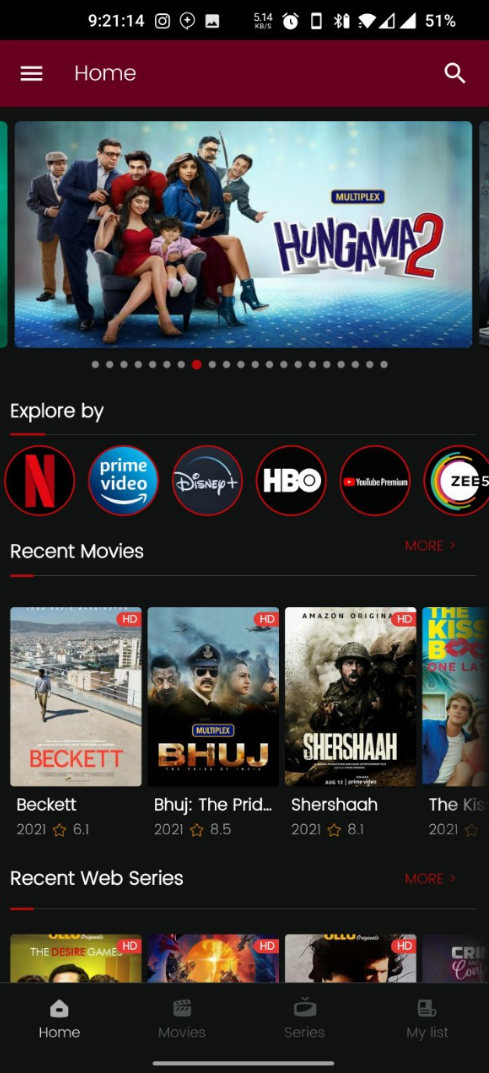
Hey guys Today We are sharing the Latest Version of MOMIX MOD APK in which you can Stream the Latest Web Series & Movies without any Ads for Free.

MOMIX apk download

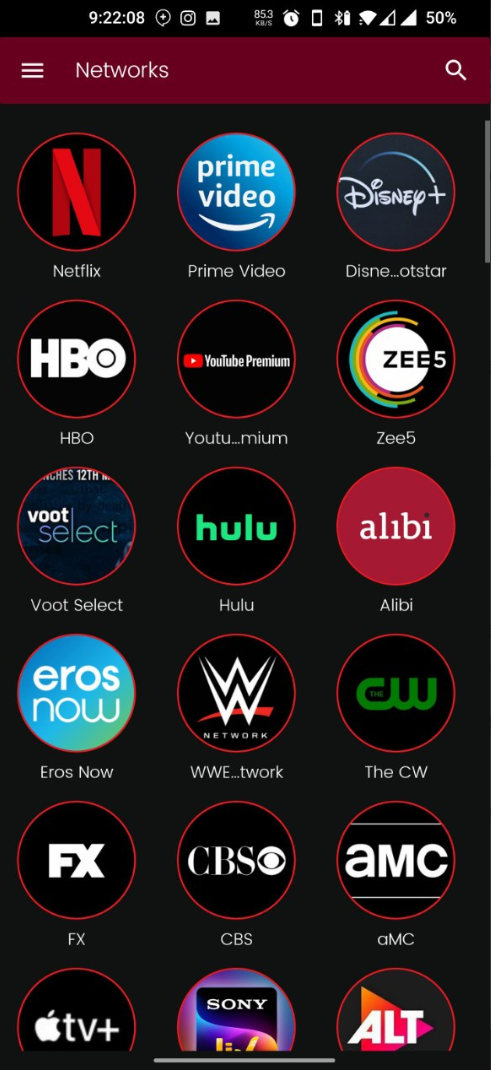
MOMIX is one of the best Streaming App which allows you to watch all the Latest Web Series, Movies, & Live Tv from Different OTT Platforms like Netflix, Hotstar, ALTBalaji, Voot, Zee5, Amazon Prime Video, Ullu, etc.

MOMIX mod apk


Web Series

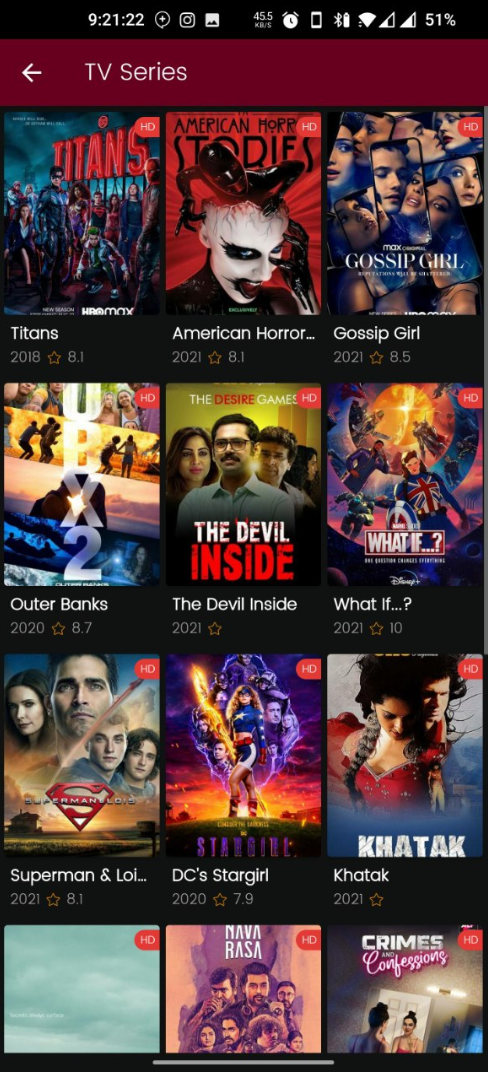
Watch all the Latest Web Series from the Popular OTT Platforms such as Disney+Hostar, Zee5, Netflix, Prime Video, Youtube Premium, HBO Max, Voot Select, Eros Now, FOX, CBS, The CW, Hulu, Apple TV+, WWE Network, SonyLIV, ALTBalaji on MOMIX App for Completely Free.

MOMIX adfree apk

Movies

MOMIX App offers you to Watch all the Popular & Latest Hollywood/Bollywood & Other Movies for Free.

MOMIX free

Genres

Enjoy Web Series & Movies from Various Genres such as Action, Horror, Comedy, Romance, War, Crime, Adventure, Biography, Animation, Drama, Thriller, History, Fantasy, Documentary, Family, Musical, etc.

MOMIX apk

Languages

Momix App Offers Contents in Various Languages such as English, Hindi, Punjabi, Malayalam, Tamil, Marathi, Spanish, German, Telugu, Bengali, Gujarati, and Kannada.

MOMIX app download

Fast Servers

Momix App offers Fast Servers which enables you to Stream Seamlessly in Various Video Qualities such as 480p, 720p & 1080p.

MOMIX download

Chromecast

It has Chromecast support which allows you to watch your favourite Tv Shows & Movies on the big screen of your Smart TV.

Inbuilt Video Player

Momix App has an inbuilt video player which offers all features like MX Player.

MOMIX

1- AdFree

2- No Login Required

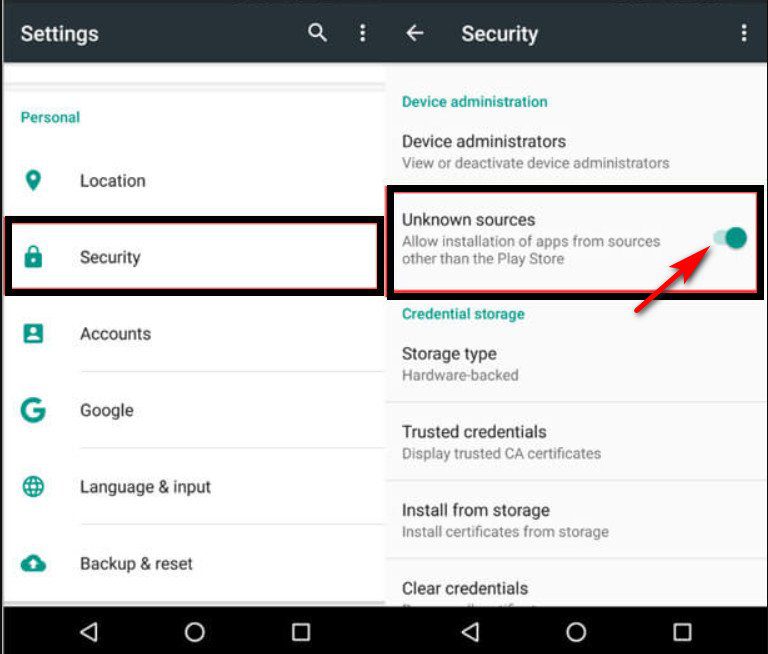
1- Open Settings of your Phone, Go to Security & Enable Unknown Sources.

settings unknown sources

2- Download MOMIX Mod Apk from the below “Go To Download Page” & Install it. (Click on ‘Allow from this source’ if asked)

3- Open the MOMIX App

Enjoy 🙂

App Name MOMIX
Size 34 MB
Version v2.2.0
Android Support 4.0 or above
Last Updated 14 October 2021
Offered By Team Momix App
Price FREE

Hoichoi MOD APK Download v2.3.85 (Premium Unlocked) 2021

Hoichoi is a video streaming platform for All Bengalis all over the Globe. Hoichoi App delivers the best in Bengali Entertainment!

With Hoichoi Mod Apk, you can get access to 150+ Original Web Series, 800+ Bengali Movies & TV Shows with new content added every week for Absolutely Free.

hoichoi hack apk

Watch Original Bengali Web Series

Watch over 150+ original & exclusive on-demand Web Series & TV shows like Byomkesh, Hello, Charitraheen, Tanner Tanpura, Eken Babu, Taqdeer, Mismatch, Taranath Tantrik, etc.

Also, we add new web series each week for your entertainment.

hoichoi mod apk

Biggest Collection of 500+ Bengali Movies

Watch 2-3 movies a day & you did still need several years to complete our Hoichoi Bengali Movie Library.

Also, we will keep adding more movies in the future!

hoichoi mod apk 2021

Download Offline

Download original web series & Bengali movies & watch them offline anytime, anywhere without Wifi or Data Connection.

hoichoi offline downloads

Ad-Free

In Hoichoi App, you will get a seamless Watching Experience as it’s completely Ad-Free.

hoichoi adfree

Multi-Device Capability

Watch Movies & Web Series on every device such as Android Phone, Tablet, iPhone, Laptop, or Smart TV.

Music Streaming

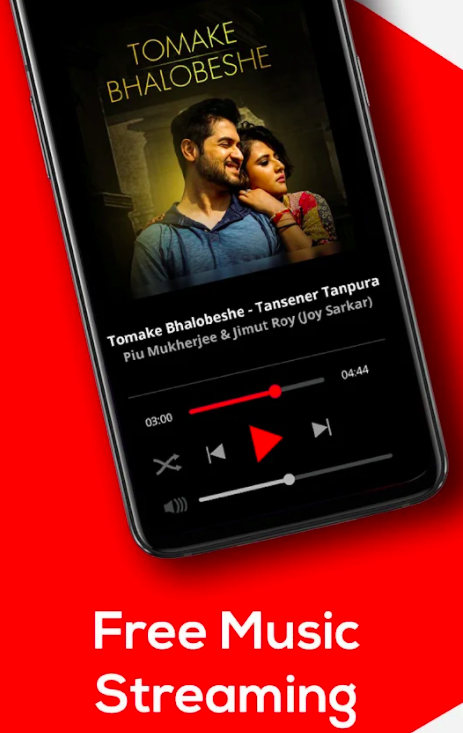
Furthermore, you can stream & download your preferred Bengali songs as you like.

hoichoi mod apk ytricks

Chromecast

Hoichoi App is Chromecast enabled for Android TV, Amazon Fire TV, Roku, LG TV, Apple TV, Mi TV, Samsung, & Web.

Watch List

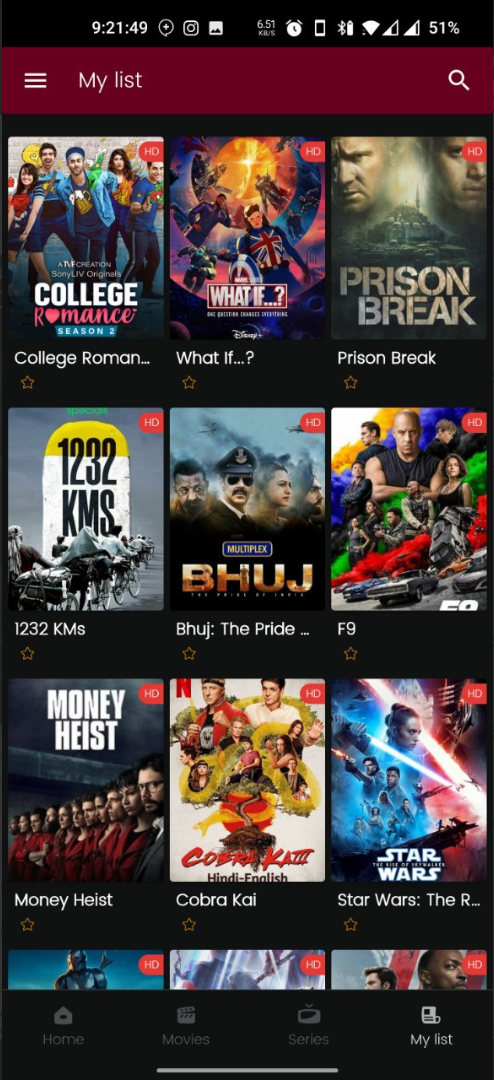
Also, Make a Watch-list bookmark Bengali Tvs shows or movies & watch them
later.

English Subtitles

In Hoichoi App, you can watch all Movies & TV Shows with English Subtitles.

hoichoi mod download

Unlimited HD Streaming

HoiChoi Mod App allows you to Watch Unlimited HD Streaming for Completely Free.

1- Premium Unlocked

2- No Login Required

3- Ad Free

1- Uninstall the PlayStore Version of the HoiChoi App if you have already installed it on your phone. (Important)

2- Open Settings of your Phone, Go to Security & Enable Unknown Sources.

settings unknown sources

3- Download HoiChoi Mod Apk from the below “Download Page” & Install it. (Click on ‘Allow from this source’ if asked)

4- Open the HoiChoi App

5- Enjoy 🙂

App Name

Shoichi – Bengali Movies | Web Series | Music

Size 20 MB
Version v2.3.85
Android Support 4.0 or above
Last Updated 22 October 2021
Offered By
Hoichoi Technologies Private Limited
Price FREEComment below if you are facing any problems!


Voot MOD APK Download v4.1.9 [Premium] Latest Version 2021

Hey Guys, Today I am sharing the Latest Version of the Voot Mod Apk (Ad-Free) in which you can get Watch TV Shows, Movies, Kids Shows, Cartoons, Live News Etc. Without Any Ads.

Voot App is Viacom18’s Premium Video-on-demand platform for Android. It Offers Viacom18’s network channels (full episodes & exclusive content), Voot Kids, Movies, Voot Originals, & Live News.

With over 50,000 hours of new content over languages, genres & audiences.

Voot offers the biggest TV shows from Colors Hindi, MTV, Colors Telugu, Colors Infinity, Colors Tamil, Colors Marathi, Colors Kannada, Colors Gujarati, Colors Bangla, Nickelodeon & Comedy Central.

Moreover, Voot App offers award-winning Voot Originals & Stories made exclusively for online Audience.

voot mod apk download

Voot Originals- Watch the Best Voot Originals Shows exclusive access to only on the Voot App.

News on Voot- Catch the latest news from the world of Politics, SportsBusiness, Entertainment, Bollywood etc.

12 languages- English, Hindi, Bangla, Gujarati, Tamil, Kannada, Urdu, Bihari, Odia, Marathi, Malayalam, Punjabi.

The Best of Drama Shows- Bahu Begum, Naagin S3, Kawach Mahashivratri, Bepannah Pyaar, Vish, Ishq Mein Marjawan, Choti Sardarni, Jhansi ki Rani along with old preferences like Madhubala, Balika Vadhu, Etc.

The Best of Reality Shows- The latest seasons of reality shows like MTV Splitsvilla with Sunny Leone, Love School S3, MTV Roadies & Rising Star.

Regional News & TV Shows- Catch all the Regional News & TV Shows in your preferred language.

Music Shows- Music lovers Watch MTV Unplugged, Coke Studio, Rising Star & much more.

voot mod ad free

1- Premium Unlocked (Unlocked Voot Select Subscription)

2- All Ads are Removed (Ad-Free)

3- Live Channels

4- Premium Contents Are Downloadable

5- Online Streaming Of Select Shows Not Working (But it can be downloaded)

NOTE– Uninstall the Playstore Version of the Voot App if you have already installed it.

1- After Downloading Voot Mod Apk from the above link.

2- Open Settings of your Phone, Go to Security & Enable Unknown Sources.

settings unknown sources

3- Click on Voot Apk File & Install it on your phone. (Click on “Allow from this source” if asked)

4- Open the Voot App

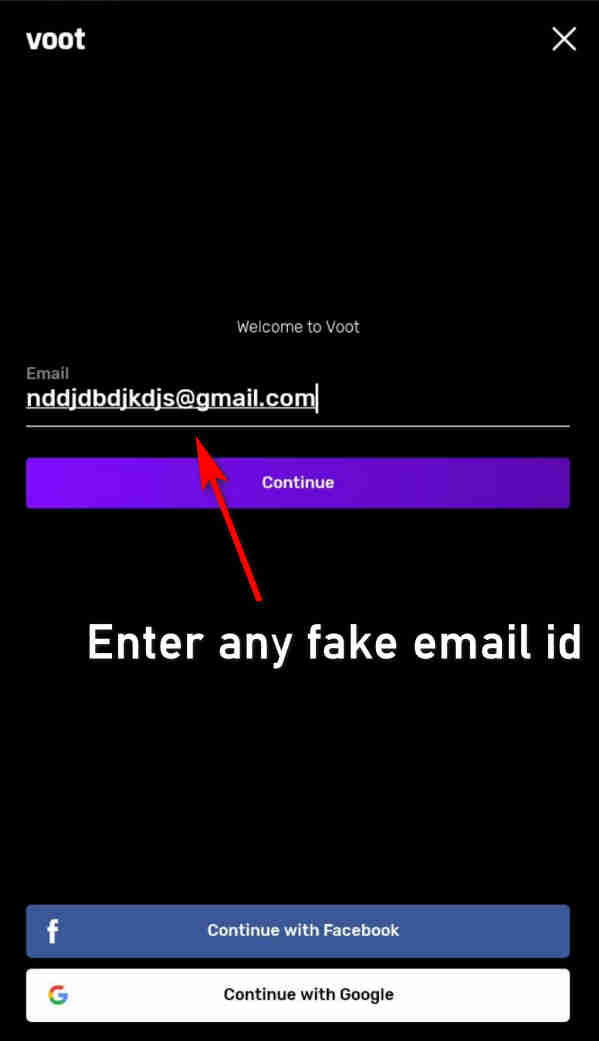
5- Sign Up with Any Random Fake Email Address & Password

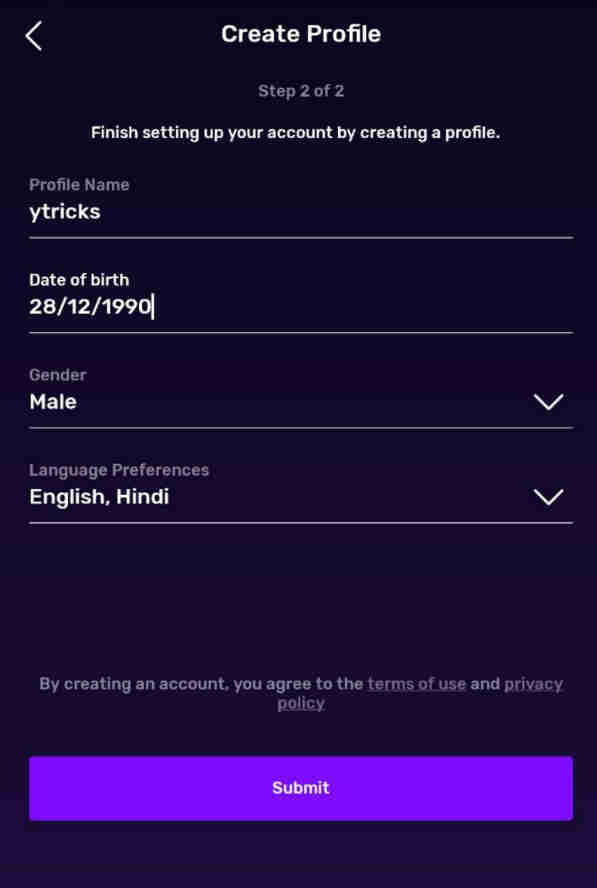
6- Create Profile by Entering Details

7- On Payment Screen, Click on “No Thanks”

Enjoy Voot Select Premium TV Shows & Movies 🙂

NOTE– Uninstall the Playstore Version of the Voot Kids App if you have already installed it.

1- After Downloading the Voot Kids Mod apk from the above link.

2- Open Settings of your Phone, Go to Security & Enable Unknown Sources.

settings unknown sources

3- Click on Voot Apk File & Install it on your phone. (Click on “Allow from this source” if asked)

4- Open the Voot Kid App

5- Enter Password-   @shooterOfficial1

Enjoy Ad Free/Premium Kids Shows.

App Name Voot Apk Mod
Size 31 MB & 76 MB
Version v4.1.9 / v1.19.3 MB
Android Support 4.0 or above
Last Updated 15 October 2021
Price FREE
Mod Developer Stabiron, Cybertron, GDriveHub, ArvMobiles

In Short, By Using Voot Mod Apk. You, Will, Get an Ad-Free Experience in Watching All Voot App TV Shows, Movies, News, etc.

Comment below if you have any Queries or Requests!